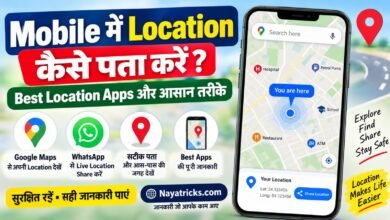
For everyday location sharing in India, start with Google Maps; parents of children using Android should consider Family Link, and iPhone households can use Find My or Messages. Those location tracker apps serve different needs. One can support a voluntary check-in, while another helps a parent supervise a child’s device or find a lost phone.
Choose a tool for a clear purpose, such as coordinating a pickup or letting a family member know you arrived. Phone tracking should be consensual and limited to that purpose. A shared location is not proof that someone is safe. A phone may be offline, or its location may not have updated. Choose a tool for a clear purpose, and do not treat a shared location as proof of someone’s safety.
Key Takeaways
- Google Maps is a practical starting point for everyday sharing across phone platforms.
- Family Link is designed for a parent checking a child’s supported device.
- iPhone users can share through Find My or Messages.
- Life360 suits families who want Place Alerts and location history.
- Agree on the purpose and audience before switching sharing on.
How to Choose Location Tracker Apps in India
Start by deciding whether you need to share your own position, check a child’s device, or find a device you own. The purpose determines which tracking app makes sense, because lost-device services and person-to-person sharing do different jobs. Check the intended phone’s operating system before choosing an app.
Use this four-point checklist to compare location tracker apps and other tracking apps:
- Purpose: Decide whether you need voluntary sharing, parental supervision, or a way to locate your own lost device.
- Compatibility: Check whether each phone runs Android or iOS, then confirm the app supports both devices.
- Consent and permissions: Make sure the person understands the sharing and grants location access on their phone.
- Controls: Review options for alerts, sharing access, and location history before setting up the app.
GPS stands for Global Positioning System. It calculates a device’s position using satellite signals, while an app may also rely on other phone signals. A geofence is a virtual boundary around a place that can trigger an alert when a device enters or leaves it.
A phone number alone does not give ordinary users access to a phone’s live GPS location.
A tracking app needs to be installed on the relevant device, and that device needs to grant location permission. A website that asks you to enter a number cannot replace either step. Reject any service that promises live GPS solely from a phone number. That check helps you avoid misleading “track by number” claims without handing over personal details.
Also separate finding a device from tracking a person. A lost-device service is meant to locate a device you own, while voluntary location sharing lets people choose to share their position with one another. The distinction matters when you compare location tracking features or decide who should receive alerts.
Which Built-In Sharing Tools Work on Android and iPhone?
Google Maps is the simplest built-in choice when the recipient may use a different phone platform. For cross-platform sharing, Maps works on Android, iPhone, and the web. Apple’s Find My and Messages are for sharing between eligible iPhone users.
The right option depends on whether you need a quick handoff or continued access. Google Maps can share a live-location link with anyone who has it. Apple’s tools offer several ways to set how long the other person can see your location.
Google Maps for a Time-Limited Link
Use Google Maps when friends or family members use different kinds of phones. A link can be shared with anyone who receives it, and the live-location link can remain active for up to 24 hours. That makes it useful for meeting someone at a busy station or coordinating a trip.
Because the link can be opened by anyone holding it, consider where you send it. A group chat may include people beyond the person you intended to reach. Review who can access a link before sending it, especially when the location is sensitive.
Apple Find My and Messages for Ongoing Sharing
Find My and Messages let iPhone users share for one hour, until the end of the day, indefinitely, or for a custom period. They work when both people have an iPhone running iOS 15 or later. These Apple tools are a fit when two iPhone users want to share with each other.
Use the duration choices to match the reason for sharing. A one-time meet-up does not call for ongoing access, while a continuing arrangement may need a different setting. A live location also reflects the phone’s latest reported position, not a guarantee about the person’s condition.
| Tool | Sharing duration | Device compatibility | Best-fit use |
|---|---|---|---|
| Google Maps link | Up to 24 hours | Android, iPhone, and web | Cross-platform sharing |
| Apple Find My | One hour, end of day, indefinite, or custom | See note below | Ongoing sharing between iPhone users |
| Apple Messages | One hour, end of day, indefinite, or custom | See note below | Sharing from a conversation |
Note: Apple sharing requires both people to have an iPhone running iOS 15 or later. Google Maps offers the broader platform reach, while Apple’s options suit people who already use iPhones. Review who has the link before sharing it, because anyone holding it can view the live location during its active period.
Can Family Link Track a Child’s Android Device?
Family Link can show a child’s supported Android or compatible Fitbit device when the parent and device meet its requirements. It is a parent-managed tool, not a universal phone locator. The parent must be at least 18, or meet the applicable age in their country, and live in the same country as the child.
Family Link can help a parent check a child’s location during a school pickup or after an activity. A parent can create a Google Account for a child under 13, or under the applicable age in their country. The parent’s eligibility is separate from the child’s device requirements.
For location tracking, Family Link supports Android 6.0 or later, Chromebooks running Chrome OS 71 or later, and compatible Fitbit devices. Not every device that connects to a family account can provide the same location features, so check the type of device the child actually carries.
A location view also depends on the child’s or teen’s device being powered on, recently active, and connected to the internet. If a student’s phone is switched off during class, the parent may see an older position at pickup time. That does not mean the family setup has stopped working.
Family Link fits a parent checking a supported child’s device, rather than an adult tracking another adult without consent. For a school-arrival check, allow for the phone’s connection and recent activity before relying on its map pin. Before relying on a school-arrival check, confirm that the child’s device is powered on and connected.
What Does Life360 Offer at Each Membership Level?
Life360’s main difference between tiers is how much location history and how many Place Alerts they include. Choose by household need, not by the longest feature list. Free includes two days of history and two Place Alerts, while Silver, Gold, and Platinum extend those limits.
Life360’s basic service is free to download and use, with live location sharing, driving insights, and Place Alerts. Its private group is called a Circle. The membership comparison below shows which tier may fit a family that wants more history or alerts.
| Membership | Location-history length | Place Alerts | Notable included features |
|---|---|---|---|
| Free | 2 days | 2 places | Live location sharing and driving insights |
| Silver | 7 days | 5 places | Live location sharing and driving insights |
| Gold | 30 days | Unlimited places | Crash detection with emergency dispatch and 24/7 roadside assistance |
| Platinum | 30 days | Unlimited places | Crash detection with emergency dispatch and 24/7 roadside assistance |
Life360 offers different service tiers by country. Users outside the United States, Canada, the United Kingdom, Australia, and New Zealand are offered Life360 Premium. The available tier can affect which membership options appear to a household.
Compare the table with how your family actually uses location tracking. A household that checks in occasionally may not need a longer history, while several regular pickup and arrival points can make more Place Alerts useful. Driving insights are also part of the free service, so not every useful feature requires a higher membership.
Gold and Platinum both include crash detection with emergency dispatch and 24/7 roadside assistance, along with 30 days of history and unlimited Place Alerts. Those features may matter to some families, but they are not a reason on their own to keep more location data than you want. Do not pay for a higher tier solely for unlimited alerts if your family only needs occasional check-ins.
Which Third-Party Tracking Apps Allow Consent-Based Sharing?
These apps differ most in whether sharing must be mutual and what their privacy disclosures say. Read the sharing model first, then check what information the app collects or shares. Consent-based sharing requires the person whose location is shared to agree.
Third-party tracking apps can offer features beyond a phone’s built-in location sharing. Their settings and data practices vary, so compare the specific app rather than assuming all tracking app options work alike. The table summarizes three different approaches.
Number Tracker for Smart Circles
Number Tracker requires users to install the app and consent to location sharing. Its Smart Circles feature provides location history for circle members and customizable notifications. It requires iOS 15.0 or later on iPhone, is listed at 106.6 MB, and has an App Store age rating of 4+.
Its App Store privacy disclosure says purchases, identifiers, usage data, diagnostics, and other data may be used to track users across other companies’ apps and websites. That disclosure is a specific point to weigh before you add family members or share a location through a circle.
Track Any Phone for One-Way Sharing
Track Any Phone: GPS Tracker describes its sharing as one-way, so the recipient does not need to share a location back. It lists location history, geofencing, and emergency alerts among its functions. One-way sharing describes the direction of sharing; it is not permission to track someone secretly.
Before choosing this tracking app, make sure the person whose position is shared knows about the arrangement and agrees to it. A feature that sends location to one recipient does not remove the need for the person sharing their position to understand the setup.
Location Share for Mutual Sharing
Location Share requires consent from both parties. Its Google Play data-safety disclosure says the app may share location, app activity, and device or other IDs with third parties. It also says data is encrypted in transit and cannot be deleted.
Encryption in transit protects data as it moves between the app and its services, but the stated inability to delete data is a separate consideration. Check the relevant store disclosure and whether deletion is possible before creating a circle. That check matters most before you invite other users, because their location data may become part of the shared arrangement.
| App | Sharing model | Notable functions | Platform or disclosure detail |
|---|---|---|---|
| Number Tracker | Installed, consent-based sharing | Smart Circles, member history, customizable notifications | iPhone, iOS 15.0 or later; may track users across other companies’ apps and websites |
| Track Any Phone: GPS Tracker | One-way sharing; recipient need not share back | Location history, geofencing, emergency alerts | Sharing direction does not grant permission for secret tracking |
| Location Share | Consent from both parties | Mutual location sharing | May share location, app activity, and IDs; encrypted in transit; data cannot be deleted |
The privacy disclosures describe different trade-offs, including data used across other companies’ apps, third-party sharing, and data that cannot be deleted. Compare those details with the people you intend to include, rather than treating a familiar feature name as a privacy guarantee. If you cannot accept an app’s stated data practices or deletion limits, do not add your location to it.
Why Can GPS Tracking Lag or Drain Battery?
A location pin can lag because Android may batch background updates to save power. Background location limits can delay a geofence alert, so an alert may take approximately two minutes rather than arriving at once. More frequent updates and higher accuracy generally use more battery.
Android introduced background-location limits with Android 8.0, API level 26. For an app running in the background, location may be calculated and delivered only a few times an hour. That timing can affect GPS tracking even when the app appears ready to share.
Background Updates Can Arrive Less Often
A geofence alert depends on when the phone detects a boundary crossing and reports it. Android background limits can change geofence responsiveness from tens of seconds to approximately two minutes. On some devices, those limits can improve battery performance by up to 10 times.
That improvement applies only on some devices, not every Android phone. A notification setting that asks for faster geofencing can use more power, while a slower response may suit a household that does not need immediate alerts. Google recommends a geofence notification-responsiveness value of five minutes or longer to preserve power.
Higher Accuracy Uses More Power
High-accuracy Android location uses GPS, Wi-Fi, cell signals, and phone sensors. It can give a more precise estimate, but it may cause significant battery drain. Low-power location largely relies on cell towers and avoids GPS and Wi-Fi.
That low-power mode uses minimal battery, but gives coarse, city-level accuracy. The choice is a trade-off: a closer estimate generally needs more frequent location updates or more signals, while a broader estimate can use less power. Neither setting guarantees a pinpoint position in a building.
Phones may report less often in the background than they do while someone actively uses a map. That means a tracking app should not be treated as a continuous view of every movement. Use a longer geofence response setting when an immediate alert is less important than conserving battery.
What Should You Check When a Location Stops Updating?
A stale pin usually calls for checking the sending phone before reinstalling the app. Start with the phone that reports the location, since live updates depend on its ability to send new data. A last-known position is not the same as a fresh live update.
Use this four-step sequence when location tracking looks stuck:
- Check the phone’s connection to the internet.
- Confirm that location is enabled on the sending phone.
- Review the app’s location permission on that phone.
- Reopen or refresh the sharing view on the receiving phone.
Android provides app-level location permissions, while iPhone manages access through Location Services. The app needs the permission required for its sharing feature, and the phone must be able to transmit fresh location data. A map may still display the last reported spot when no newer update arrives.
If the map remains stale, check the sharing app on both phones. The sending phone may not be reporting new data, or the receiving phone may not have refreshed the view. Reopening a map cannot create a new location if the other phone is offline.
Check the timestamp beside the pin before treating it as current. An old timestamp means the app has not shown a newer report, even if the marker still appears on the map. Treat an old timestamp as the last reported position, not the person’s current whereabouts.
What Consent and Privacy Rules Matter in India?
Location sharing is a personal-data decision, not just a map setting. Location data can identify or help identify a person, so access should be limited to people who need it. Valid consent for most personal-data processing must be free, specific, informed, unconditional, and unambiguous.
India’s Digital Personal Data Protection Act 2023 defines personal data as data about an identifiable individual. It lists location data as indirectly identifiable. In plain terms, a location record can help identify someone even when it does not show their name on a map.
The Act defines a child as a person under 18 and requires verifiable parental consent to process a child’s data. Serious violations can draw fines up to ₹250 crore. That is a maximum for serious violations, not a claim that every mistake triggers the highest fine.
Consent is free when a person can choose without pressure. It is specific and informed when they understand what data is used and for what purpose. Unconditional means the choice is not tied to an unrelated condition, and unambiguous means the person’s agreement is clear.
Use this privacy checklist before starting location sharing:
- Agree on the purpose, such as coordinating a pickup or checking arrival.
- Share location only with the people you choose.
- Review access or stop it when the purpose ends.
For a specific situation, check current requirements with a qualified Indian legal professional. Clear limits can reduce unnecessary access and help families discuss who can see a person’s location. Get clear agreement before enabling another person’s location sharing, especially when the person is a child.
Which App Fits Each Everyday Tracking Need?
For a simple everyday share, choose Google Maps; use a more specialized option when the need is parental oversight or ongoing family alerts. Match the tool to the task, not to the longest list of features. A lost-device need is different from sharing a person’s live location.
This comparison maps common needs to a practical starting choice. Each option is meant for a different kind of location tracking, from a quick check-in to a parent-managed device or a family Circle.
| Everyday need | Recommended option | Why it fits |
|---|---|---|
| Cross-platform everyday sharing | Google Maps | Works across Android, iPhone, and web |
| Two-iPhone ongoing sharing | Apple Find My or Messages | Built for sharing between iPhone users |
| Parent checking a child’s supported Android device | Family Link | Supports parent-managed child-device location |
| Family Place Alerts or history | Life360 | Offers family Circle sharing, alerts, and history |
To locate a device you own after it goes missing, use a dedicated lost-device service rather than a person-tracking app. That keeps the purpose clear and avoids treating another person’s position like a device-finding task.
Choose the narrowest tool that solves the need without collecting more location history than you want.
Consider who needs access and how much location history your household wants to keep. A basic sharing option may be enough when the task is simply meeting someone or confirming a pickup. Choose the narrowest tool that solves the need without collecting more location history than you want.
Conclusion
The best choice is the simplest app that fits the purpose and the phones involved. A temporary share, a parent checking a child’s device, and ongoing family alerts call for different tools. Keep the purpose specific, and choose a sharing arrangement everyone understands.
Before switching sharing on, agree on who can see the location and how long access should last. That small conversation helps prevent a temporary check-in from becoming an open-ended arrangement. Make the next step practical: name the recipient and decide when you will review access.
Location sharing can help with coordination, but a map pin cannot confirm someone’s safety. Before sharing, confirm the recipient and set a time to review or end access.
FAQ
Can I share my location with someone who does not use the same phone brand?
Yes, Google Maps works across Android, iPhone, and web, so it can share location across phone brands. Apple Find My and Messages require both people to use eligible iPhones. Choose the service based on the recipient’s device, then confirm the intended person can open the share before relying on it for a meet-up or pickup.
Why does a location tracker show an old position instead of a live one?
An old position usually means the phone has not sent a newer location update. Check the timestamp, the sending phone’s internet connection, and its location permission. The app also needs permission to access location. A map can retain the last reported pin, so do not treat that marker as proof of where the person is now.
Does a location-sharing app need to stay open to update?
No, some apps can update in the background, but their frequency depends on permissions and phone settings. Android background limits can make updates arrive less often than they do while someone actively uses a map. Do not expect a continuous refresh or an instant alert from every app. Check the app’s background-location permission and the phone’s latest reported timestamp.
Is GPS accurate inside a school or shopping centre?
GPS can give only a nearby estimate inside a school or shopping centre, since walls and surrounding structures can weaken or reduce location precision. A displayed pin does not guarantee an exact room, entrance, or floor. Treat it as a general position, and use a direct call or message when you need to confirm where someone is.
Can I stop sharing my location without deleting the app?
Yes, you can usually turn off sharing in the relevant app or device settings without deleting the app. Stopping live sharing and deleting an app are separate actions, and account-data deletion is separate again. Check the app’s controls for ending access, then review its account or privacy settings if you also want stored data removed.
What should I check before adding a child to a location-sharing app?
Check that the child’s device works with the app, review the available parental controls, and decide exactly who can view the location. Explain the sharing arrangement to the child in language they understand, including when it will be used. Choose a clear purpose and review access when that purpose changes, rather than leaving every invited viewer in place indefinitely.